I sell both new and used laptops for a living, so I have no reason to push you toward either. What I do have is a strong opinion about who should buy which — because I see the after-sales side too. The students who come back angry, and the ones who come back to buy a second machine for their brother.
The honest case for used
A used business-class laptop — think Lenovo ThinkPad, Dell Latitude, HP EliteBook — was built for corporate use. Companies buy these in thousands, use them for 3–4 years, and then they enter the refurbished market. At ₹15,000–22,000 you can get a machine that originally cost ₹70,000+.
What you get for that money is build quality no new budget laptop can match: better keyboards, stronger hinges, easier repairs, and often better screens. A ThinkPad keyboard alone is worth the price for someone typing notes daily.
The honest case against used
The used market has no MRP and no referee. The same laptop sells at three different prices in three shops of the same market. The battery may be at 60% of its original capacity. The SSD may be near the end of its life. The processor is usually 6th–8th generation — fine for study, but you're starting further back on the ageing curve.
And the biggest issue: warranty. A shop warranty of 3–6 months is not the same as a 1-year onsite brand warranty. If you live in a small town far from a computer market, a new laptop's brand warranty is worth real money.
My rule of thumb
The exact checks I run on every used laptop
If you do go used, run these checks at the shop before paying. Any honest seller will let you. If a seller refuses, that refusal is your answer.
- SSD health. Install or ask for CrystalDiskInfo. Health should say "Good" and ideally above 85%. I've written a full guide on reading these numbers.
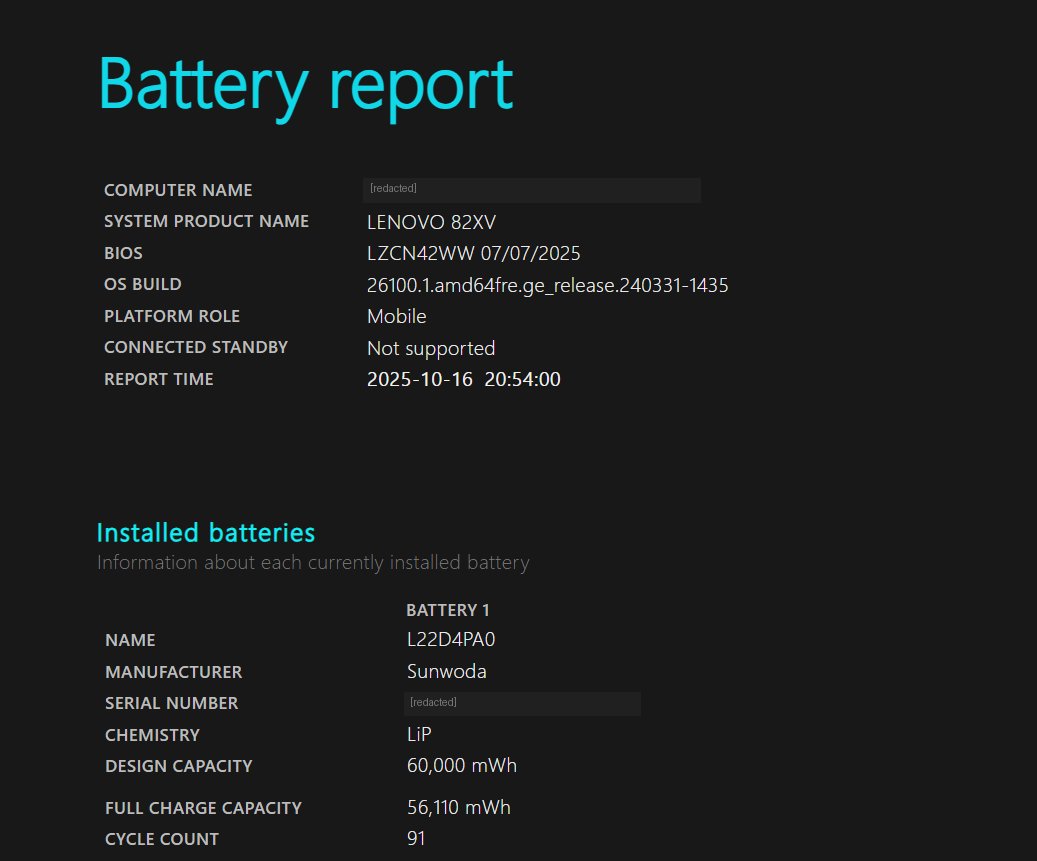
- Battery report. On Windows, run
powercfg /batteryreportin Command Prompt. Compare "Design Capacity" vs "Full Charge Capacity". Below 60% means budget ₹2,000–3,500 for a new battery soon. - Keyboard test. Open Notepad and press every key. Business laptops from offices sometimes have worn or dead keys.
- Screen test. Open a full-white image and a full-black image. Look for dead pixels, lines, and pressure marks.
- Hinges and body. Open and close the lid slowly. Grinding, cracking, or a wobbling screen means the hinge mounts are damaged — expensive to fix properly.
- Ports. Carry a pen drive and test every USB port. Test the charger port with a slight wiggle — loose DC jacks are a common used-laptop disease.
- Processor generation. Right-click My Computer → Properties, or ask the seller to show. Don't accept anything older than 6th gen Intel in 2026, whatever the price.
What about "refurbished" on online platforms?
Certified refurbished from a proper platform sits between new and shop-used: you get a return window and some warranty, but pay a bit more than street price. For students who can't inspect in person, it's a reasonable middle path — just read the condition grading carefully (Superb / Good / Fair mean very different physical conditions).
Whichever way you go, remember: a laptop for exam prep is a tool, not a status symbol. The best laptop is the one that opens your mock test instantly and doesn't distract you with problems.